Developer utilities, built in
- Response diff: compare any two runs, offline.
- Hover to decode: what does
1763022300mean in UTC? Hover it. Same for JWTs and Base64. - Code generator: 20 languages in one click.
Signoff Studio is a fast, offline API client for REST, GraphQL, gRPC, WebSocket, SSE and MQTT, with an unlimited collection runner, response diff, local load testing and a built-in SQL workbench. Runs on Windows and inside VS Code. Your collections are plain JSON files on your disk, not rows in somebody's cloud.
Also: Windows MSIX · Open VSX · 5-minute quick start
pm.* and bru.* scripts just run.
No rewriting tests into a new DSL. Import in one click, link an OpenAPI 3.0 spec for two-way sync, and export back to Postman, Bruno or OpenAPI whenever you want. No lock-in, in either direction.
Every screenshot below is the real app, captured this week.
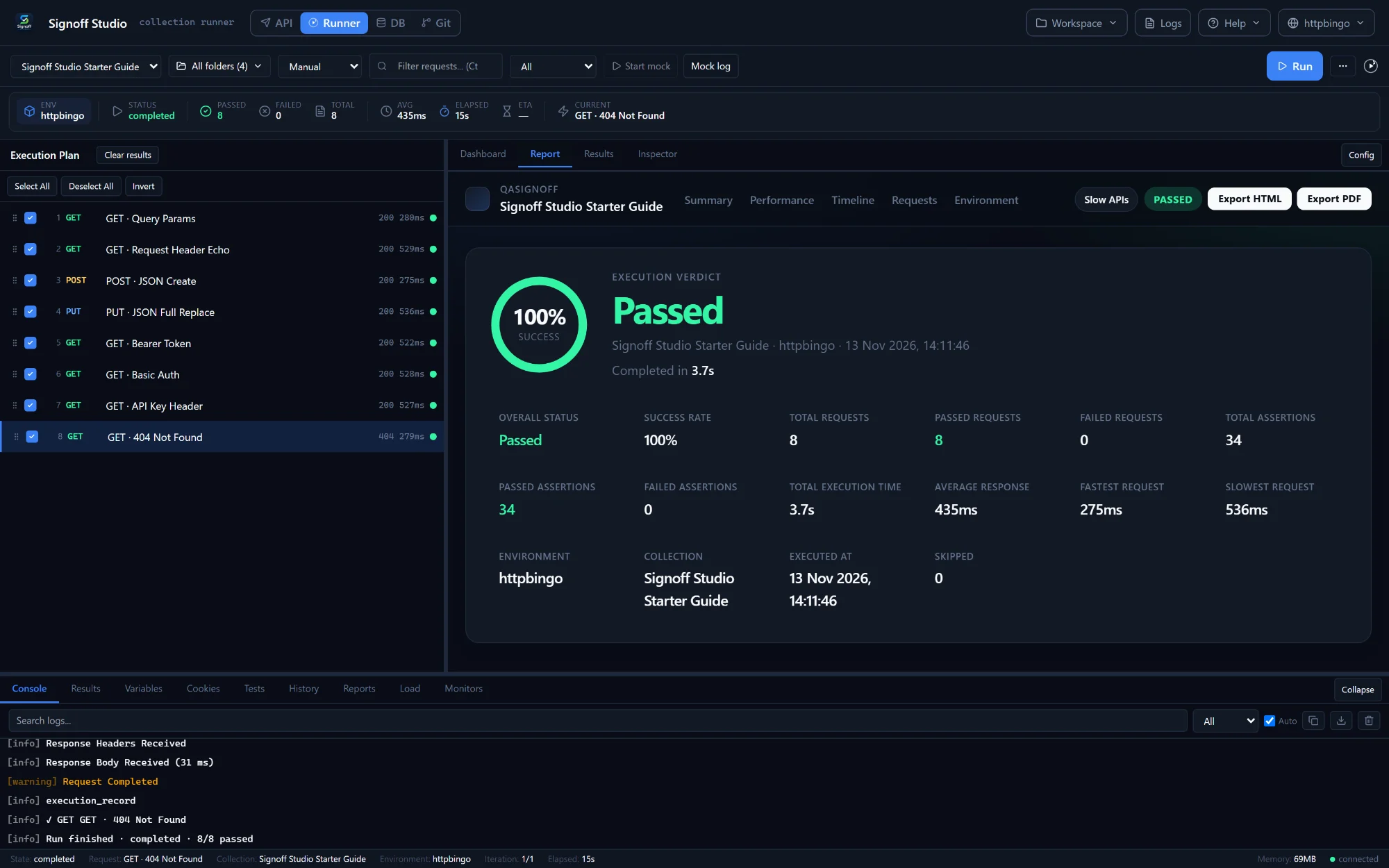
Run a whole collection, as often as you like. No monthly run cap. Parallel workers, CSV/JSON data files, retries, and a report you can hand to your lead: export HTML, PDF, JUnit XML, JSON or CSV.
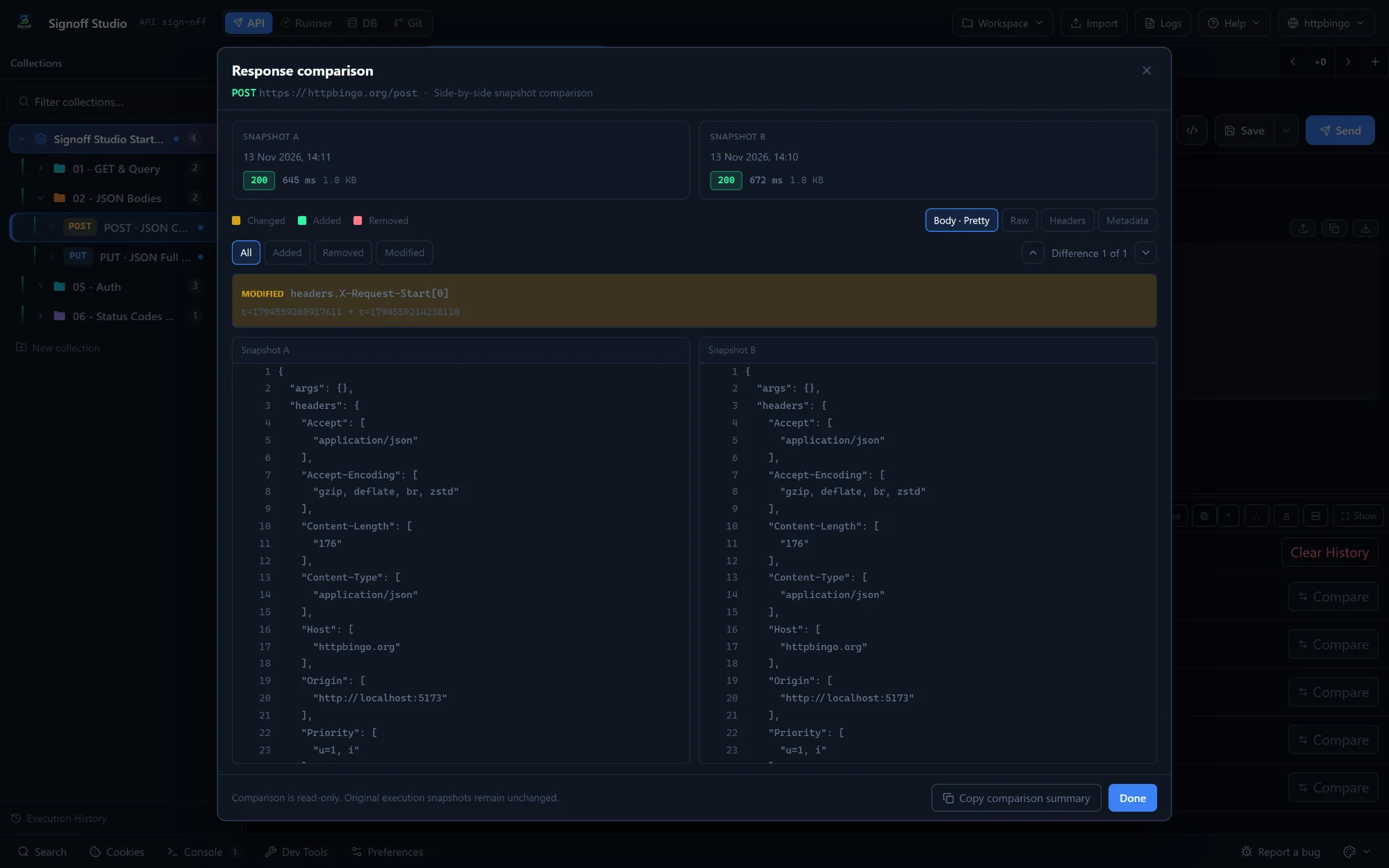
Stop pasting company payloads into random online diff sites. Pick any two runs from a request's history and see exactly what changed, field by field, across body, headers and metadata. JSON, XML and text. It never leaves your machine.
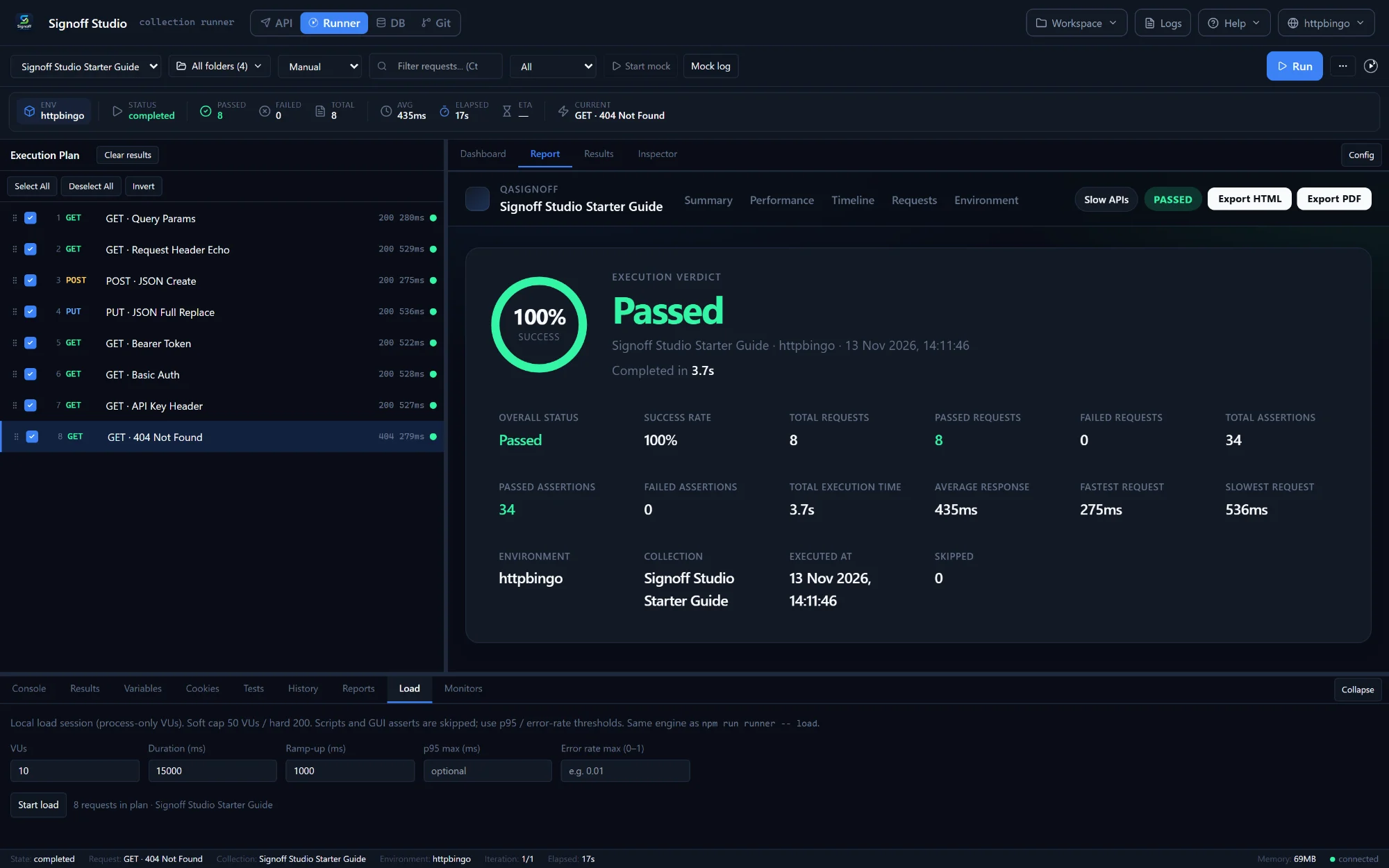
Stress an endpoint without setting up JMeter or k6. Point the same collection at up to 200 local virtual users, set ramp-up, and fail the run on p95 latency or error-rate thresholds.
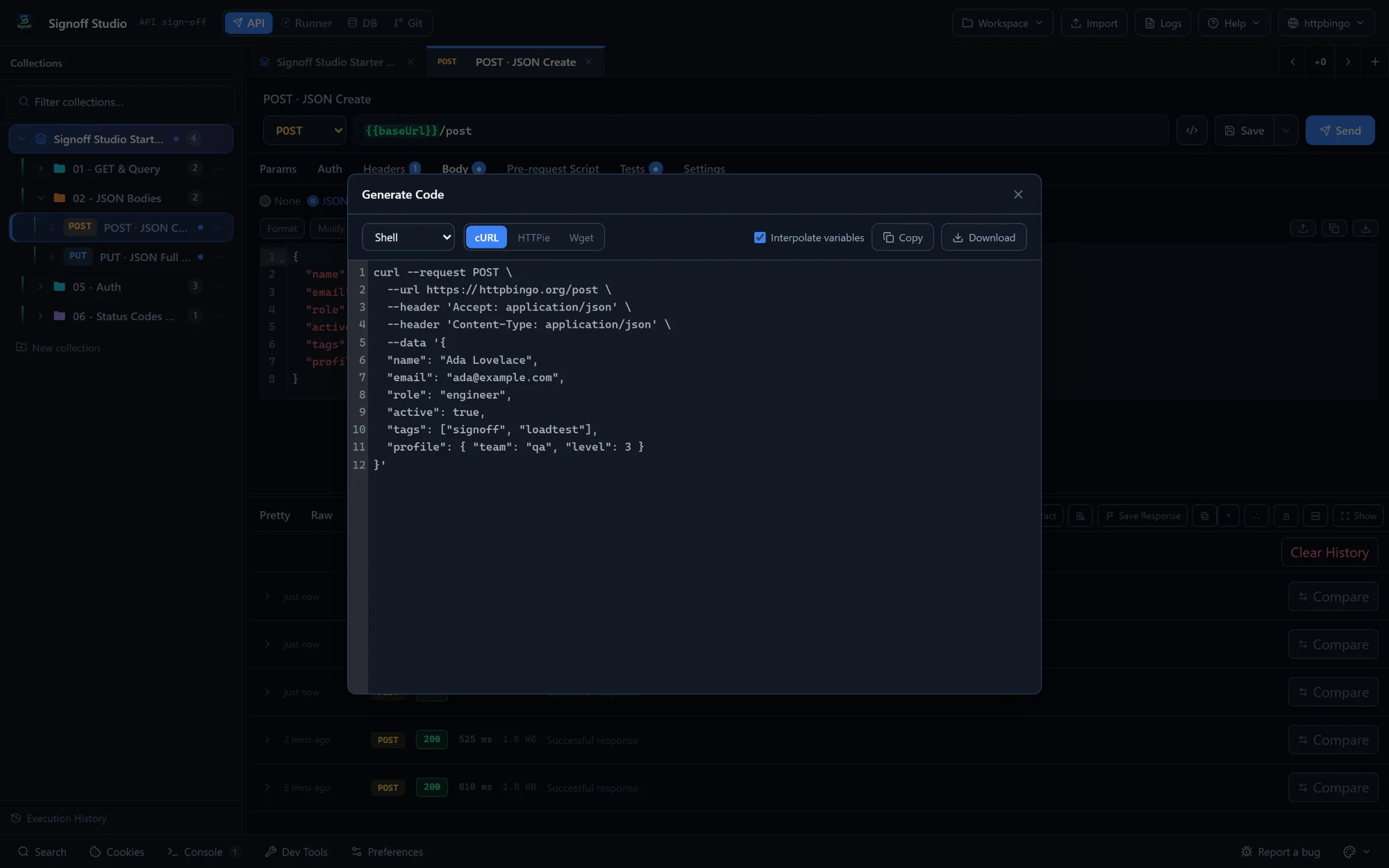
Hand a working snippet to a developer in one click. cURL, HTTPie, Python, Go, Rust, Java, C#, Node.js, PowerShell, Kotlin, Swift and more: 20 languages, with your {{variables}} resolved or kept, your choice.
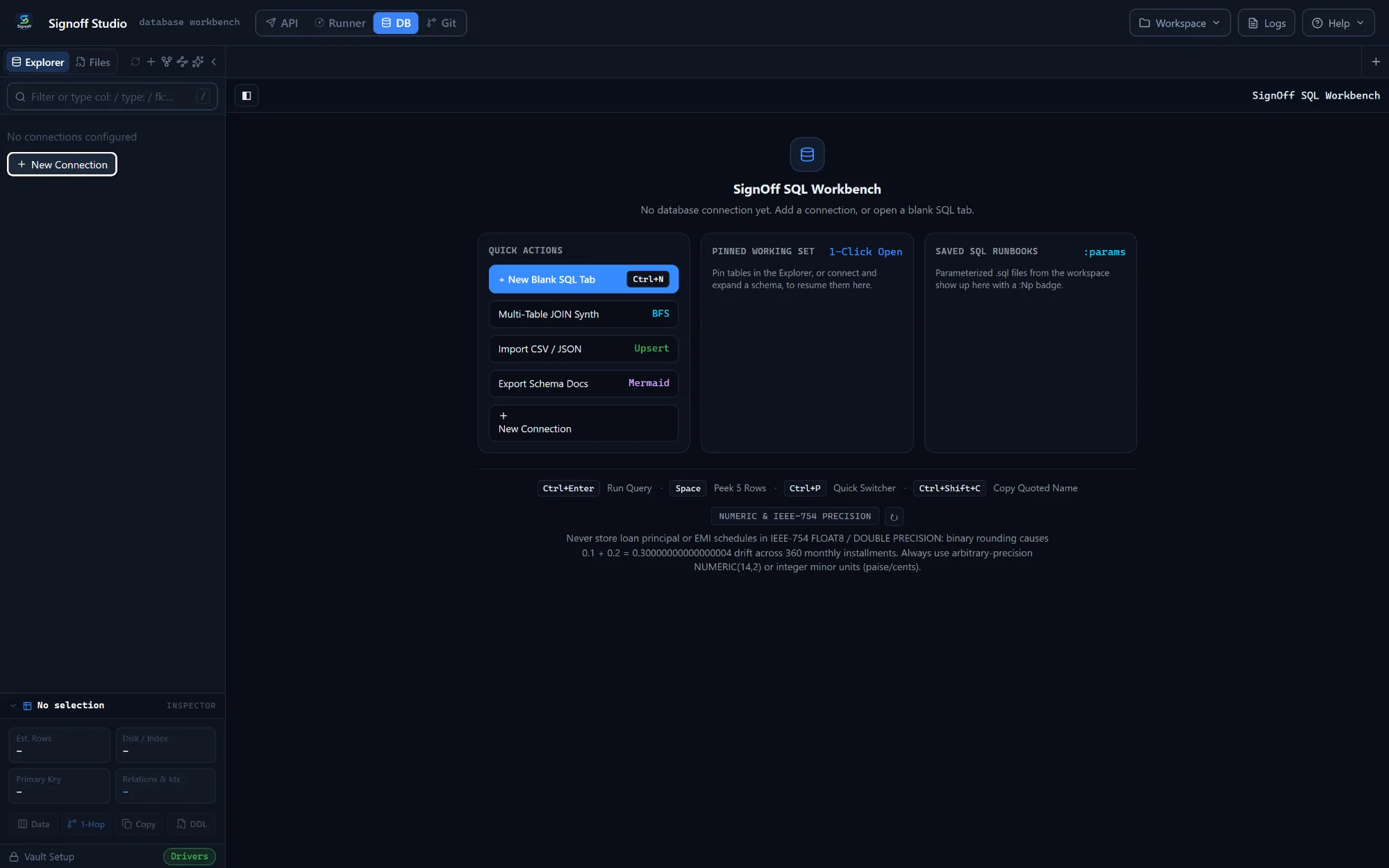
Check the row changed, right beside the API call. PostgreSQL, MySQL, SQL Server, Oracle, SQLite and ClickHouse. Schema explorer, a visual multi-table JOIN builder, CSV/JSON import, Mermaid schema docs, read-only connections and a typed confirmation before risky SQL on production.
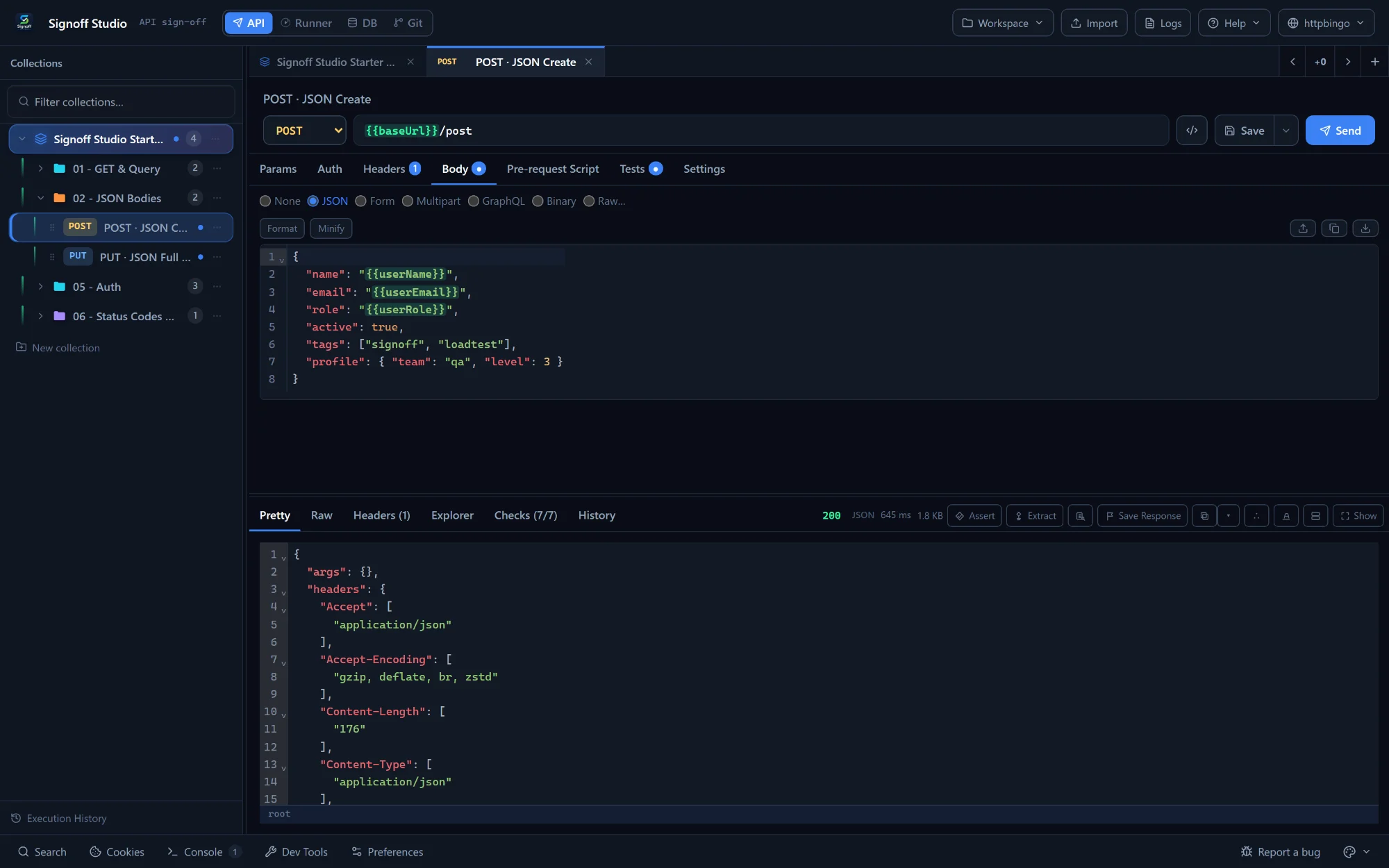
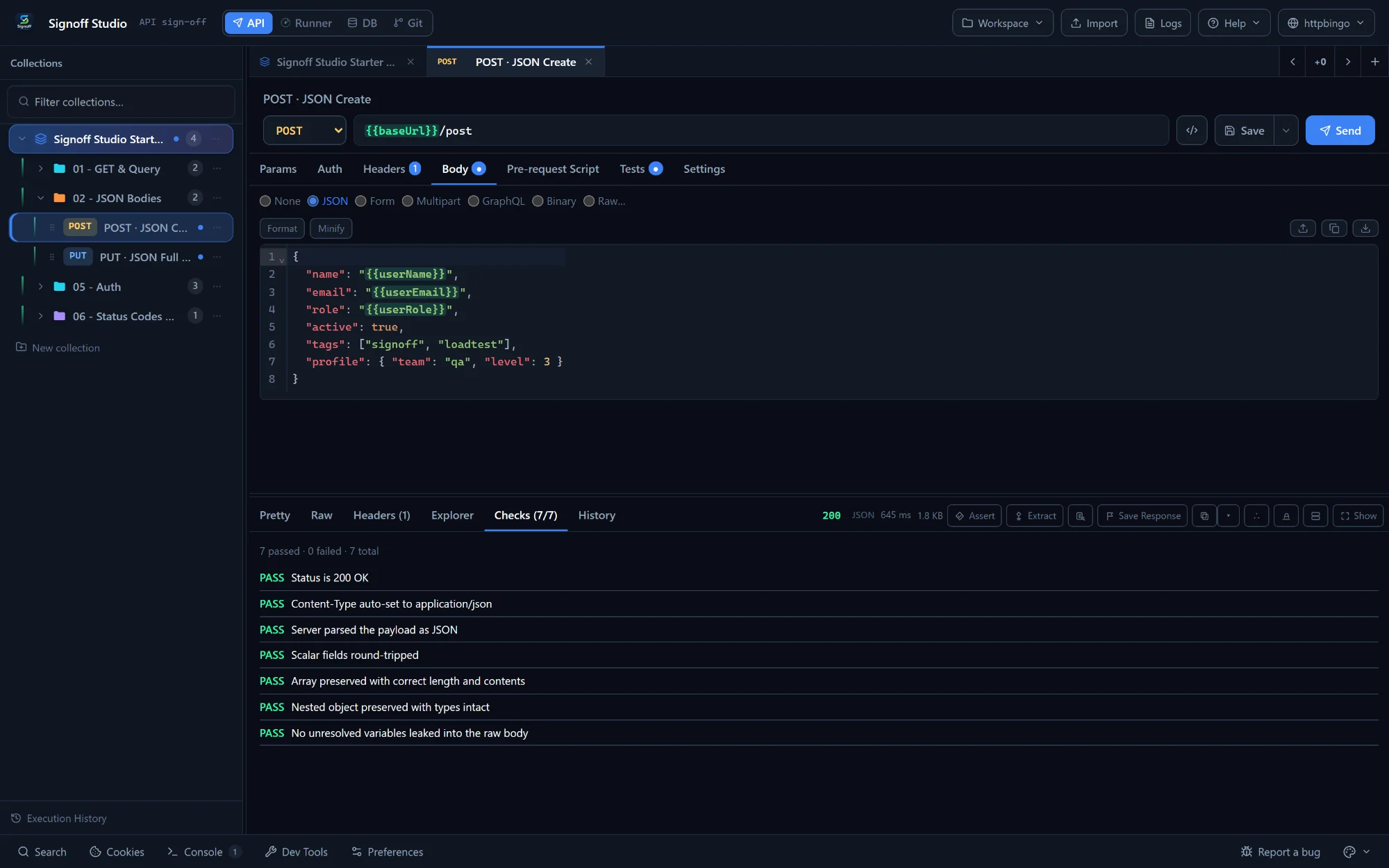
Everything you expect from an API client, without the login wall. Environments with {{variables}}, pre-request and test scripts, point-and-click assertions, a shared cookie jar, and hover to decode epoch timestamps, JWTs and Base64 inside the response.
Epoch converters, diff checkers, JWT decoders, a DB client, a load tool. We built them into the workbench so your day has fewer context switches and your payloads stop visiting websites you don't trust.
1763022300 mean in UTC? Hover it. Same for JWTs and Base64.pm.*, bru.*, pw.* and qa.* in a local sandbox.setNextRequest, skipRequest and a shared cookie jar.DROP, DELETE or TRUNCATE.127.0.0.1 from a collection or OpenAPI spec. Saved examples beat schema stubs.
Every change writes straight to disk as JSON with deterministic, sorted keys, so diffs stay small and readable. There's no Save-to-cloud button and no sync conflicts. A .gitignore and .env.example are generated for you so secrets stay in your local encrypted vault. The Windows app even has a built-in Git workbench (clone, branch, commit).
Local storage, script compatibility, runner limits and database tooling, compared honestly.
| Capability | Signoff Studio | Postman | Bruno | Insomnia |
|---|---|---|---|---|
| Price for the full app | ✓ Free: every mode, no seats | Free tier; paid plans per user | Free core; paid edition for extras | Free tier; paid plans per user |
| Mandatory cloud login | ✓ Never | ✕ Account pushed for most features | ✓ Offline | Account needed for sync |
| Runs existing scripts | ✓ pm.*, bru.*, pw.* & qa.* | pm.* only | bru.* (pm.* via translation) | insomnia.* |
| Point-and-click asserts | ✓ HTTP + WebSocket, SSE & gRPC streams | JavaScript first | Basic HTTP asserts | JavaScript first |
| Local collection runs | ✓ Unlimited + PDF / JUnit reports | Monthly run limits on free plans | Unlimited | Basic runner |
| Response diff | ✓ Built in, offline | Limited | ✕ None | ✕ None |
| SQL database workbench | ✓ 6 engines, with prod guardrails | ✕ None | ✕ None | ✕ None |
| Local load testing | ✓ Up to 200 VUs, p95 gates | Limited | ✕ None | ✕ None |
Based on publicly available product information as of November 2026. Plans and features of other tools change; check their sites for current details.
If you test banking, health or internal APIs, you shouldn't have to wonder where your requests are stored. Here's exactly what happens.
Requests, responses, collections, environments, history, cookies and SQL results. All plain files in a folder you choose.
Secrets and DB passwords live in a local encrypted vault, or resolve from your .env at runtime. Never written into workspace files.
An anonymous "app opened today" ping and download totals, so we know people use it. No request data, no payloads, no account.
Signoff Studio isn't a side project that went quiet. It gets new features and fixes most days, and the Microsoft Store and VS Code deliver them to you automatically. When something annoys you, write to the people who build it, and it usually lands in a release soon after.
The Windows app and the VS Code extension open the same folder on disk. Switch between them freely.
All four modes: API, Runner, DB and Git. Scheduled monitors, native PDF reports, the local MCP server, and automatic updates from the Microsoft Store.
Get it free on Microsoft Store or download the MSIXAPI, Runner and DB modes inside your editor, while Git stays in VS Code Source Control. Same workspace and cookie jar as the desktop app. Works in Cursor and other VS Code forks via Open VSX.
Install from Marketplace or from Open VSXOnboarding a QA team, wiring headless runs into CI with JUnit output, or untangling hard automation. The tool stays free; hands-on help from the people who build it is how we keep the lights on.
Talk to the team →Yes. The Windows app and the VS Code extension are free to download and use: every mode, no trial timer, no seat limit, no credit card and no account. If your company wants hands-on help, such as onboarding a team or building out automation, that's a paid service from the people who build Signoff Studio.
No. Requests, responses, collections, environments and database credentials stay on your machine. The app only reports an anonymous "opened today" install count and download totals. Requests go straight from your computer to the API you're testing, with no relay in between.
Yes. Signoff Studio imports Postman v2.0/v2.1, Bruno, Insomnia v4/v5, Hoppscotch, Thunder Client, OpenAPI 3.0 and cURL, and runs pm.*, bru.*, pw.* and qa.* scripts in its local JavaScript sandbox, including setNextRequest and skipRequest.
Both, if you like. They share the same workspace folder. The Windows app adds the Git workbench, scheduled monitors, native PDF reports and the local MCP server. The extension keeps API, Runner and DB right next to your code.
Workspaces are plain files with deterministic, alphabetically sorted JSON keys, plus a generated .gitignore and .env.example. Secrets stay in your local encrypted vault while diffs stay human-readable.
Yes. The Windows app bundles a local MCP server that exposes your open workspace to Cursor and VS Code agents over local stdio, so they can inspect and run collections. Vault secrets and database passwords are redacted automatically.
Install in under a minute. Import your Postman or Bruno collection. Hit Send.