Signoff Studio Docs
Environments & variables
- Platform Availability: Windows App · VS Code Extension (shared shell)
- Overview: Environments hold Variables and Secrets that resolve as
{{name}}in URLs, headers, bodies, and scripts. Switch environments from the top bar without editing requests.
How It Works (Windows App)
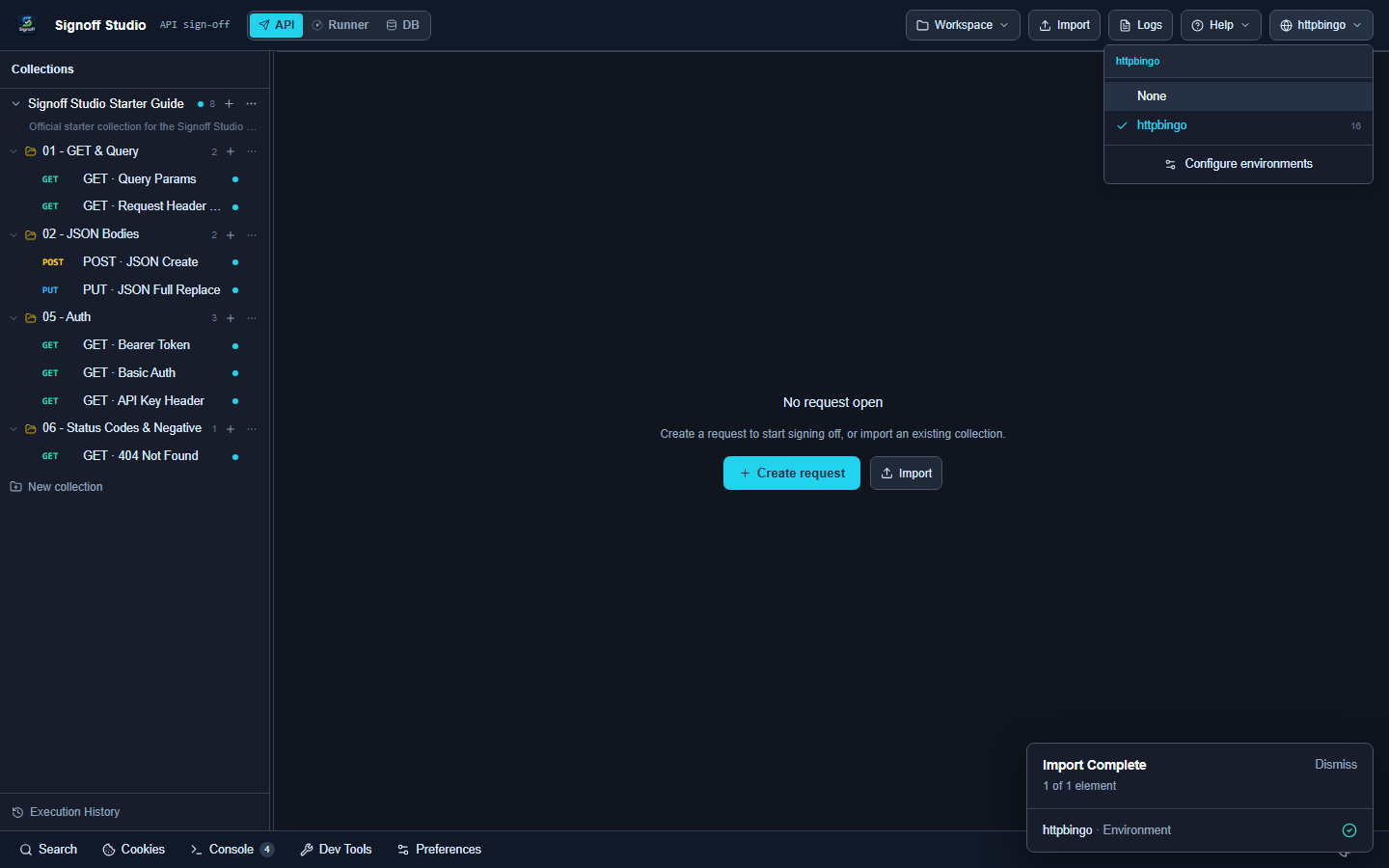
- Open the environment switcher in the top bar.
- Choose an environment (for example httpbingo from the Starter Guide).
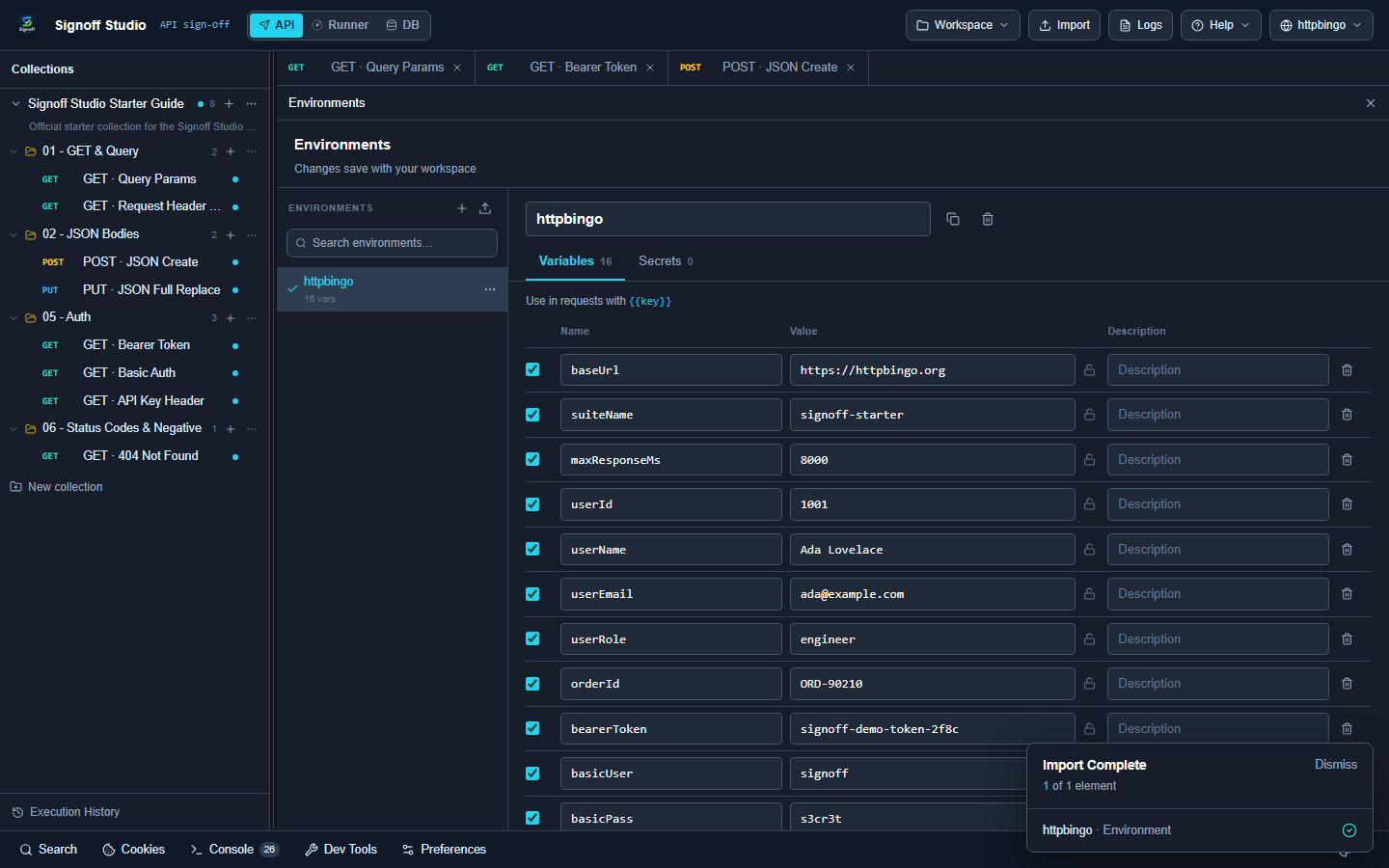
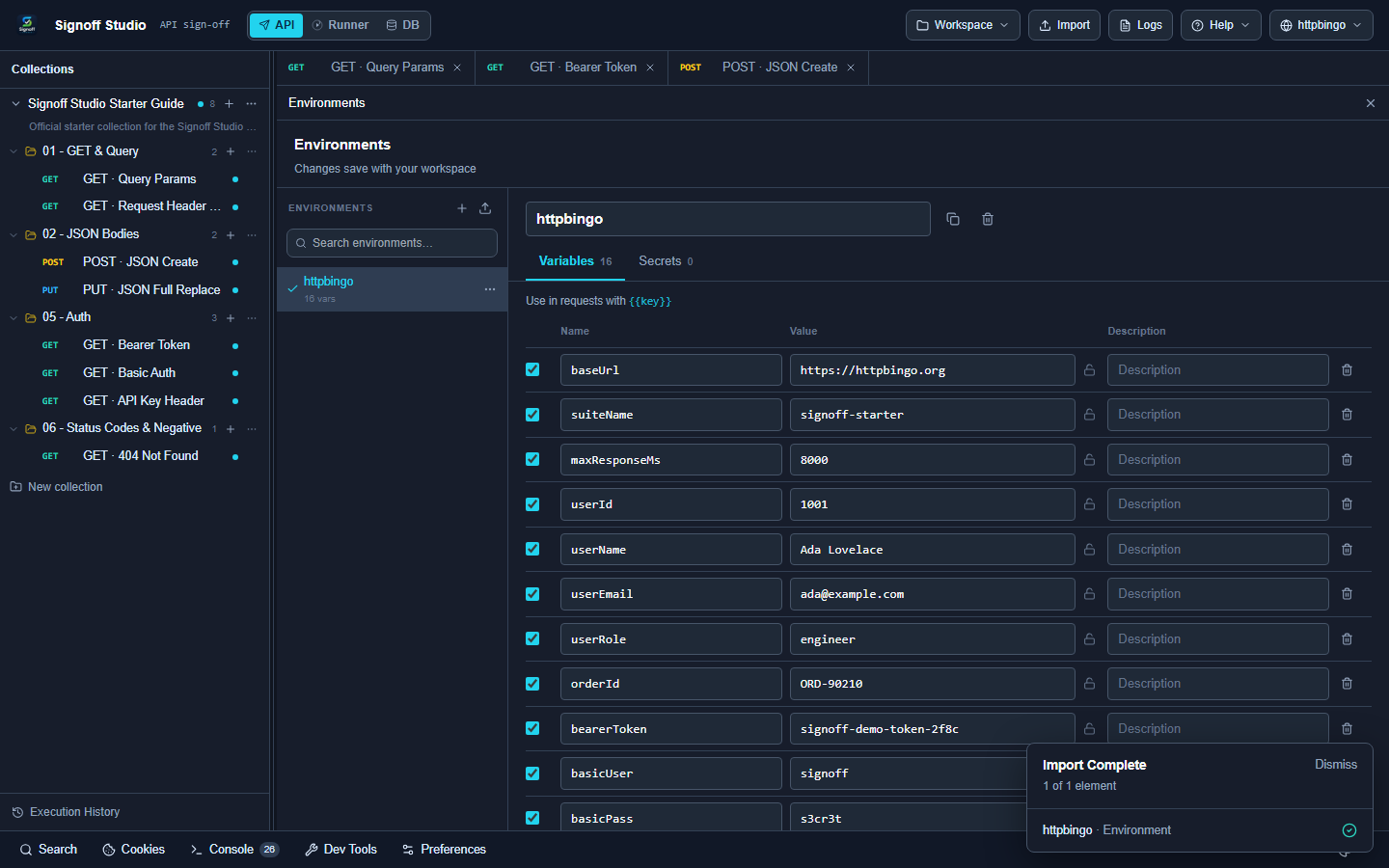
- Click manage / open Environments to edit Variables vs Secrets tabs.
- Import or export environment files as needed.
How It Works (VS Code Extension)
- Same switcher and Environments page inside the Signoff Studio webview.
- Secrets stay local; do not commit secret values — they are stripped from workspace files intended for Git.
Code / Configuration Examples
{
  "name": "httpbingo",
  "variables": [
    { "key": "baseUrl", "value": "https://httpbingo.org" },
    { "key": "token", "value": "", "secret": true }
  ]
}
In a request URL:
{{baseUrl}}/bearer
In a header:
Authorization: Bearer {{token}}
In a script:
const base = qa.variables.get("baseUrl");
qa.log(base);
Edge Cases, Troubleshooting & Pro-Tips
- If Send shows literal
{{baseUrl}}, no active environment (or missing key). - Prefer Secrets tab for tokens and passwords.
- Starter env file: signoff-studio-starter.httpbingo.signoff.env.json